DeepCurrent · 深潮防线: rules, controls and first steps
Steer through three harbor-defense stages. Charge a shot, break a core and watch the boss opening.
What you play
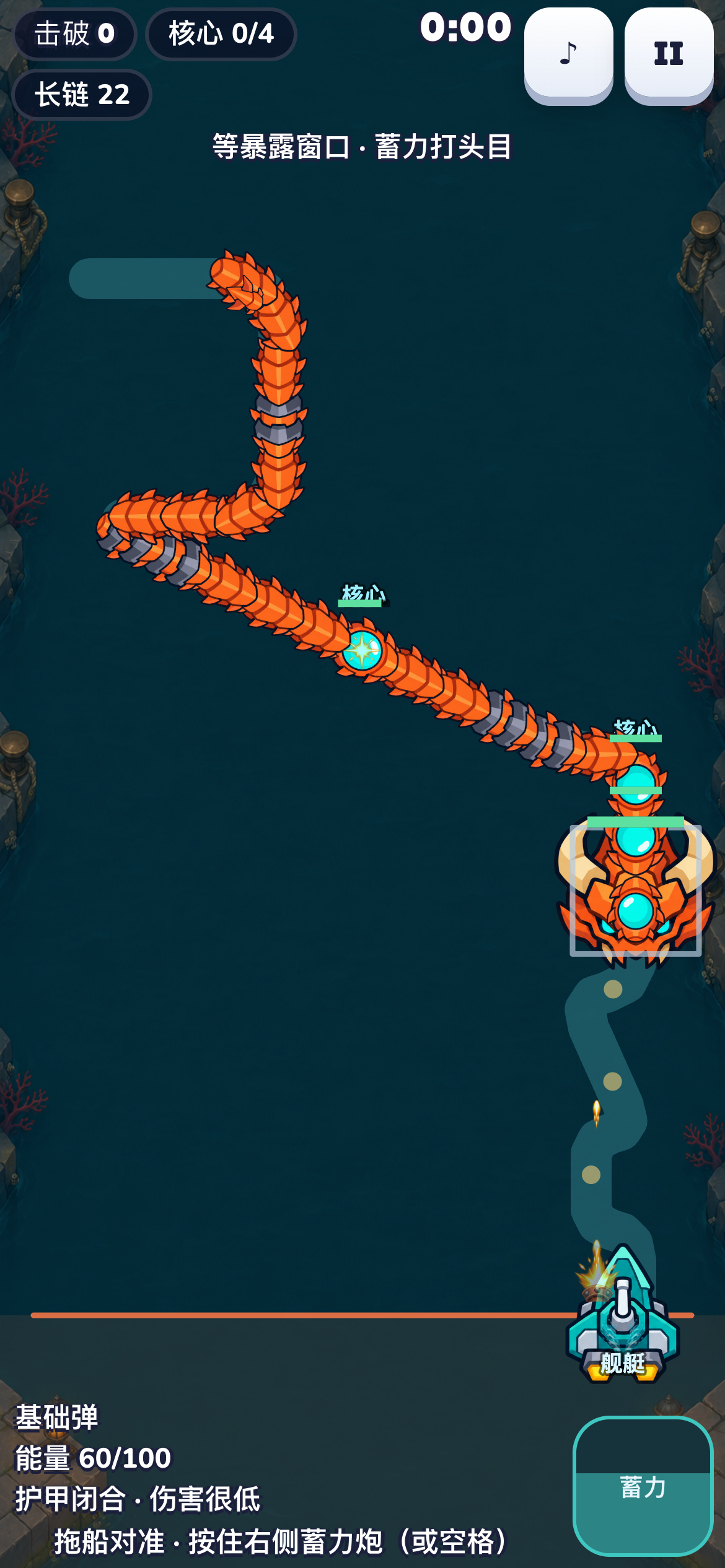
DeepCurrent · 深潮防线 is a portrait harbor-defense game with three stages. Steer your boat while ordinary shots fire automatically. Hold the charged-cannon control and release to fire an energy-powered piercing shot; ordinary fire pauses while charging, so timing and alignment matter. Breaking an exposed core pushes the chain back. Choose piercing, chain-lightning or slowing supply cards, then read the warning and exposed window of the third-stage boss.
Version 0.3.1: three stages, energy-powered charged shots, supply-card builds and a boss opening to aim for. Game progress stays in this browser.
Controls
Drag the playfield to steer. Hold the charge button and release to fire; on touch, use a second finger to keep steering while charging. On a keyboard, steer with A/D or the arrow keys and hold/release Space to charge and fire. Use the visible pause control or Escape to pause.
Your first session
- Start the first stage with the basic weapon and watch the dangerous end approaching the defense line.
- Steer to line up a core or armored segments. Hold and release a charged shot when the alignment is useful; breaking a core pushes the chain back.
- Pick a supply card, clear the current stage and return to the route to inspect your unlocks. In the third stage, read the boss warning and fire during its exposed window.
Decisions worth watching
Charging pauses ordinary fire and uses energy. A missed charged shot still costs that energy, so keep an escape margin before charging.
Piercing reaches aligned segments, chain lightning jumps to nearby targets, and slowing buys time. Choose for the actual arrangement instead of treating every card as a damage upgrade.
Previous stage and starting-weapon unlocks are retained. Earlier clear times are stored separately from R3 records. Stay in the same browser and site; clearing site data can erase local progress.
More games and help
Browse the other browser games or choose a player guide. If the game does not load, include its address, your device and the visible error when contacting player support. Game-specific saved progress may depend on browser site data; check before clearing it.