Seed Ark guide: balance food, retained seeds and generation recaps
Plan a Seed Ark generation, distinguish forecast from settled harvest, and use the ledger before spending food or retaining seeds.
A six-generation seed-survival challenge with a phone-friendly greenhouse.
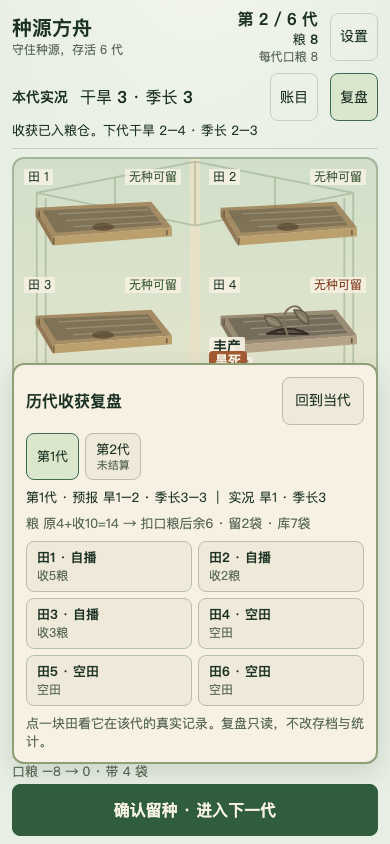
Tap a seed bag, then a plot. The landscape sidebar scrolls to keep planting and advanced controls within reach. Harvest food or keep seeds, then resume the same local run. Revisit recorded generations in a read-only harvest recap: compare forecast and actual weather, food, kept seeds and individual plots. Unrecorded fields stay marked as not recorded. Return to the current generation to continue. Previous scene and Classic remain in Settings.
A six-generation seed-survival prototype with a local run and read-only harvest recaps.
Tap a seed bag, then a plot. Submit planting to reveal the harvest, choose retained seeds in the harvest phase, and review the generation ledger.
The guide states that advancing a generation consumes 8 food; check the ledger before committing.
Keeping zero new seed bags may require confirmation. The sixth generation does not need seeds for another generation.
Plan a Seed Ark generation, distinguish forecast from settled harvest, and use the ledger before spending food or retaining seeds.
Browse the other browser games or choose a player guide. If the game does not load, include its address, your device and the visible error when contacting player support. Game-specific saved progress may depend on browser site data; check before clearing it.